
Where can I find the version number of the app?
You want to know which Open as app version you are using on your mobile device, we will show you where to find it.
You can find the version number of your app as follows:
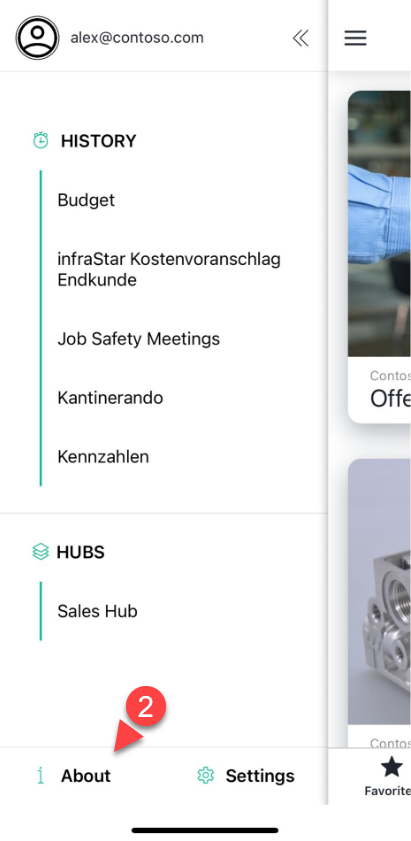
1. Click on the "Burger Menu Icon"

2. Go to "About"
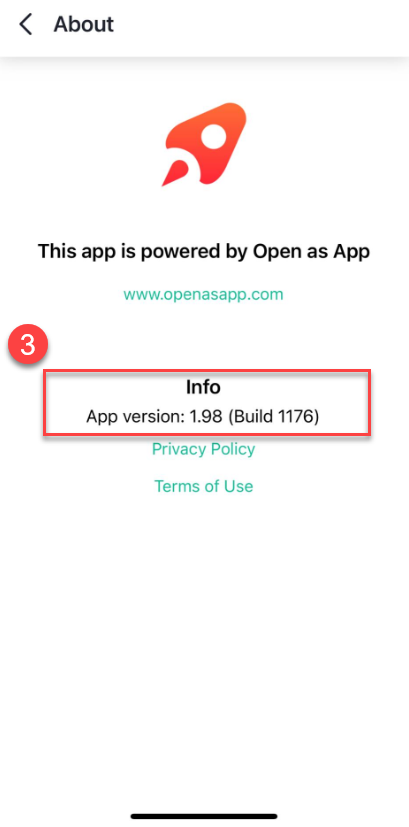
3. INFO: App Version
Was this article helpful?
Still stuck? Submit a request